
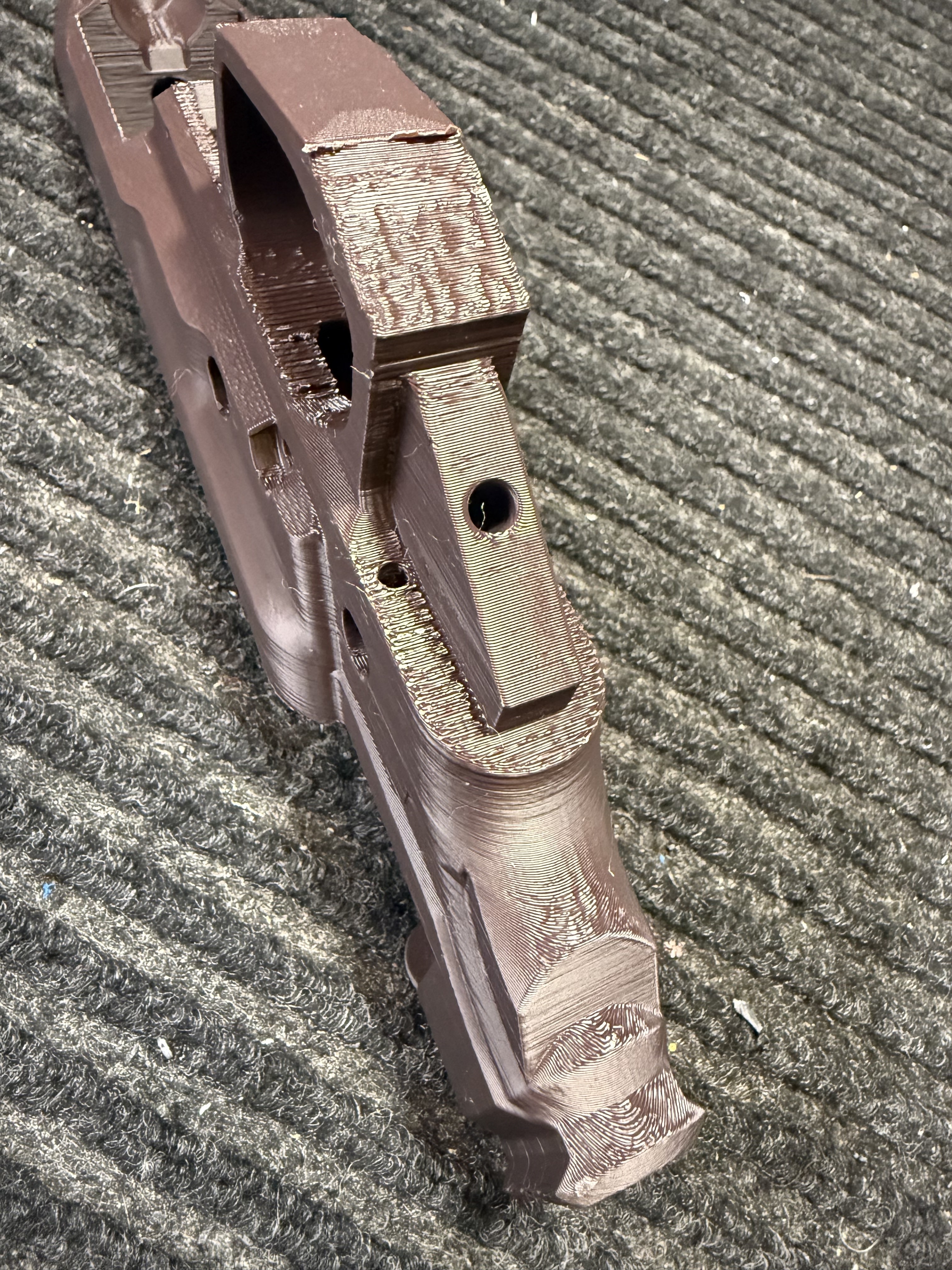
Hey guys, I’ve just completed my first prints. The top surfaces and sides came out really good, but the undersides came out a little rough. Especially where supports were, what’s the accepted standards for cleaning these areas up? Sandpaper, files, dremel?
What settings should I be looking at to make my next prints even better in these areas?
My setup: Qidi xplus3 Sunlu PLA + 2.0 (using its default filament profile in orca) @ 230/60 300blkfde’s orca/machine settings. 12 walls, 80% infill. Layer height: .2 Support distances: .19
I appreciate the feedback!
I’ve noticed that Sunlu’s PLA 2.0 is a game changer. My best results with sanding was something I got from a 3D printing cosplayer that she uses an electric footsander. You can control the speed and direction of the wheel turning. It’s not too harsh, so you won’t take off too much material at once, and you do only a little at a time. The tool is small, so it’s not that hard to get into some of the smaller areas. Just wear eye and mask protection from not getting the particles in your lungs. Nasty business from what I’m told.
Overall it looks very clean. I have printed my last 2 in .16 layer height, it adds like 2-3 hours but you see less of the lines when you take off the supports.
Interesting, I’ll have to look into the foot sanding deal, hadn’t heard of that.
I’ll also try out the .16 layer lines and see if that helps on the supports.
Thanks for the tips.