
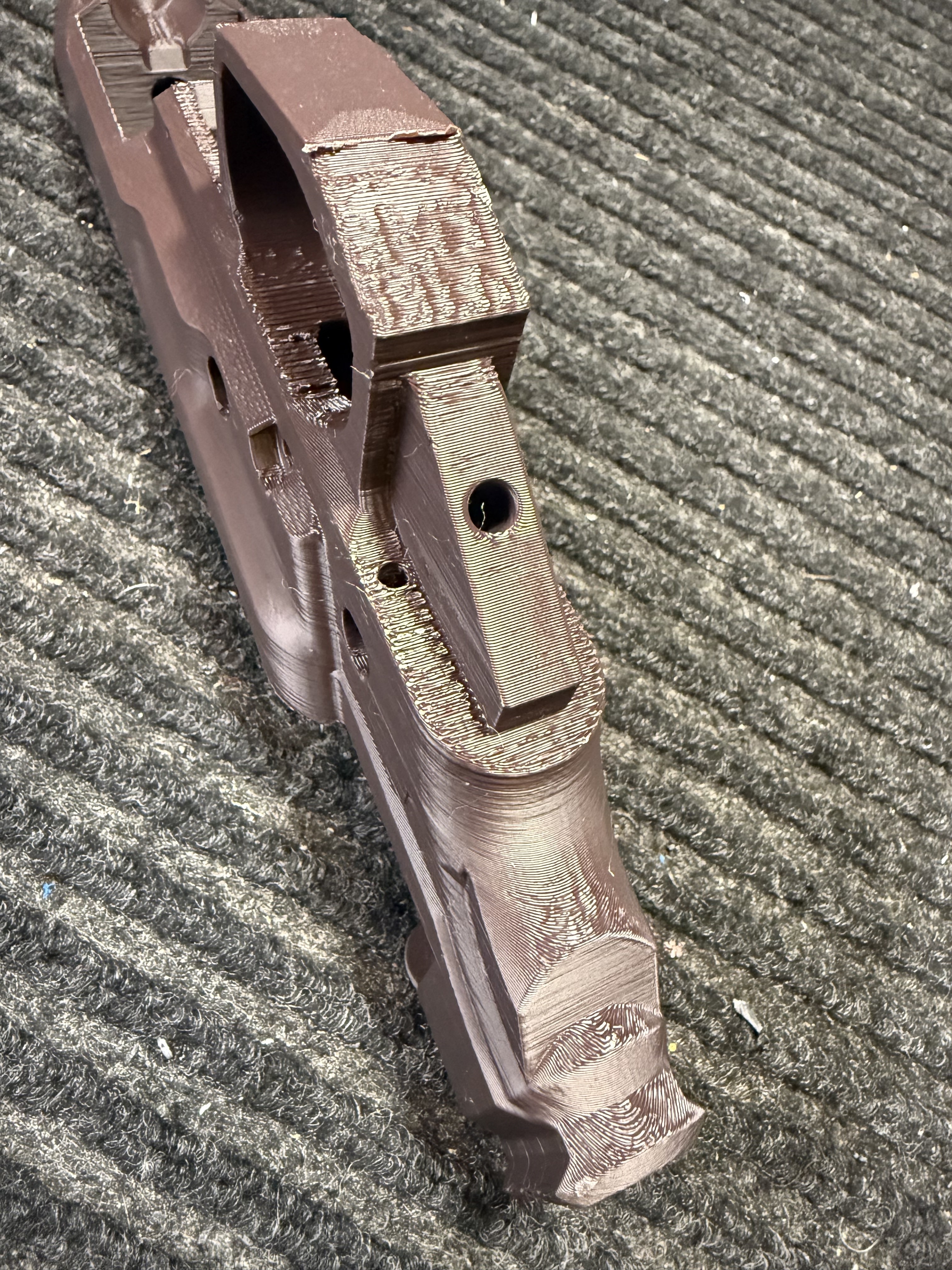
Hey guys, I’ve just completed my first prints. The top surfaces and sides came out really good, but the undersides came out a little rough. Especially where supports were, what’s the accepted standards for cleaning these areas up? Sandpaper, files, dremel?
What settings should I be looking at to make my next prints even better in these areas?
My setup: Qidi xplus3 Sunlu PLA + 2.0 (using its default filament profile in orca) @ 230/60 300blkfde’s orca/machine settings. 12 walls, 80% infill. Layer height: .2 Support distances: .19
I appreciate the feedback!
There are prints you can use to calibrate the support interface distance and it’s specific to your layer height. They are available in bambu software but I imagine you can use them in orca slicer for your specific printer. You can select each tower with a different distance. It’s not a long print.
The sides nearest the base I’ve seen those artifacts recently. Too harsh of an overhang angle that supports seldom fix unless they are basically fusing with the model and you use a different material as the support. You can also change the print orientation to minimize the overhangs but with PLA+ you don’t wanna deviate too much from the reccomended. With nylon you can do whatever you want because the layer adhesion is great.
That looks pretty good!
If you decide to sand it, don’t do it too much and wear a mask. The particles that result from that sanding aren’t great.
There are some acetone based approaches too.
Personally I just don’t try to clean it up more than that, and if you really need the part to be pristinely clean, I prototype myself and then buy a final print from a professional 3D printing company.
Acetone doesn’t work for PLA
I’ve had good luck with an orbital sander, but it’s going to be a bitch what ever post processing your going to do