

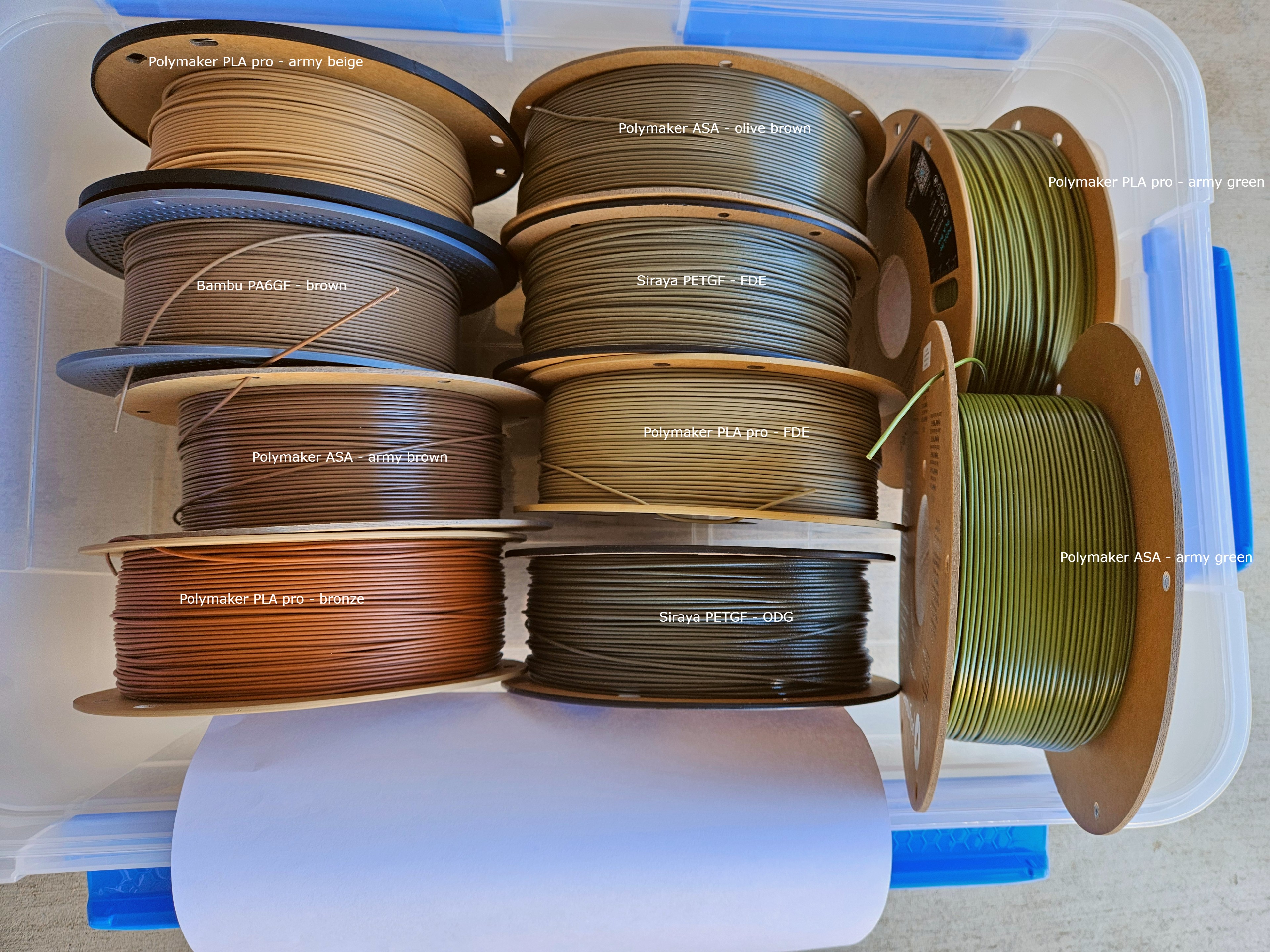
I tried to color correct it the best I could but it was just an online editor. It’s a relative comparison anyways and if you have one, you can compare with the photo and get an idea. It might have been better to take the photo in the sun because the blue sky made blue highlights but this is good enough for now.
I’ll probably be asked about the container. It’s ezy storage 32L and walmart has a 6 pack for $54. Edit: It will actually hold 10 if spools are put in long ways but this was a better orientation for comparison.
A quick dive into some basic photography knowledge. You’d calibrate to RGB as that’s what monitors are comprised of. Typically you’d have to use an external device but the best way without one is http://www.lagom.nl/lcd-test/. However most people don’t even have professional monitors so couldn’t even calibrate well which makes it’s futile. You’d still get a very large variance in color especially from an average joe just eye balling it.
The photo itself has a white piece of paper for white balancing. If I had photoshop, I could color correct it…correctly. The only solution still goes back to a relative comparison. Just buy one of the filaments, a cheap spool of pla pro, and it’ll get the job done.
I completely overlooked what should’ve been an obvious solution to my concern.